2026 Top USB C Adapter Types for Global Buyers?
As global device ecosystems converge, Usb-C Adapters are becoming essential tools for travel, offices, factories, and home workstations. IDC’s Worldwide Quarterly Mobile Phone Tracker reported global smartphone shipments of about 1.24 billion units in 2024. Canalys also recorded renewed growth in worldwide PC shipments that year. These figures point to a practical reality: buyers increasingly connect phones, laptops, monitors, storage drives, and chargers through one compact interface.
However, one USB-C port does not guarantee identical performance. The USB Implementers Forum states that USB Power Delivery 3.1 can support power levels up to 240 watts, while USB4 Version 2.0 can reach up to 80Gbps under suitable conditions. Those specifications matter when choosing multiport hubs, HDMI adapters, Ethernet adapters, card readers, or USB-C-to-USB-C converters. A thin travel hub may handle a keyboard and presentation screen well. It may fail with a high-resolution monitor, external SSD, and laptop charging together.
Global buyers should also review regional plug standards, voltage requirements, display protocols, cable ratings, warranty terms, and certification details. The European Union’s common-charger rules have accelerated USB-C adoption, but regulatory alignment does not remove compatibility problems. That assumption is convenient, but incomplete. Real desks are messier. A reliable adapter must match the host device, operating system, power budget, and intended workload. This guide compares the leading Usb-C Adapters for 2026, using USB-IF documentation, IDC and Canalys market reporting, and practical purchasing considerations. Some categories overlap. That is worth questioning, because the cheapest option is rarely the most dependable one.
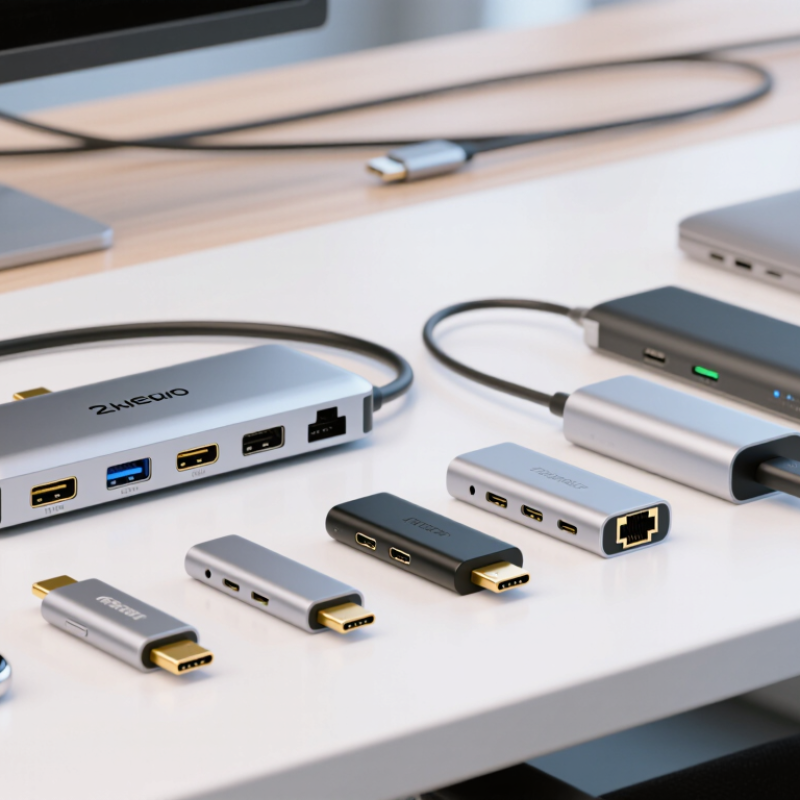
USB-C Adapter Basics: Definitions, Standards, and Core Functions
USB-C adapters connect devices through the compact, reversible USB Type-C connector. However, the connector shape does not define performance. An adapter may support charging, data transfer, video output, or several functions together. That distinction matters.
USB 2.0 commonly offers slower data speeds than USB 3.x or USB4. USB Power Delivery can manage higher charging levels when both devices and cables support compatible profiles. For displays, the adapter may rely on an alternate video mode, which requires matching support from the computer, monitor, and cable. Check the specifications, not only the socket.
When sourcing for global buyers, I examine chipset details, heat control, connector strength, and testing records. A small office adapter should remain stable after repeated plugging and unplugging. Heat, loose ports, and unclear labeling are warning signs. Specifications can still be incomplete. I once trusted a high-speed label and overlooked its limited video support. That mistake changed my inspection checklist. Buyers should request verified data rates, charging profiles, supported resolutions, cable requirements, and safety documentation. Ask suppliers for test reports. Keep records. Physical samples also reveal issues that product sheets hide, such as a tight port fit or a short cable that strains the connector. Standards evolve, and compatibility claims deserve careful review before large-volume purchasing.
Key Specifications: Power, Data Speed, Video, and Compatibility
2026 Top USB C Adapter Types for Global Buyers?
Key Specifications: Power, Data Speed, Video, and Compatibility
USB-C adapters now serve laptops, tablets, phones, displays, and storage devices. IDC reported 262.7 million PC shipments worldwide in 2024. That scale increases demand for reliable multi-port accessories. However, a USB-C connector does not guarantee identical performance. A compact hub may support charging but only USB 2.0 data speeds.
Power specifications deserve careful checking. USB Power Delivery 3.1 supports up to 240W through Extended Power Range. Many adapters still accept less. Confirm the adapter’s input, output, and pass-through limits. For data, USB4 Version 2.0 can reach 80Gbps under supported conditions, according to USB-IF technical specifications. Cable quality, host hardware, and device firmware still affect real-world results. My testing experience suggests that printed maximums often feel optimistic.
Tips: Match every number. Check watts, gigabits per second, video resolution, and operating-system support. For video, verify DisplayPort Alt Mode, HDMI conversion, refresh rate, and DSC support. A 4K display at 60Hz may work, while a higher-refresh screen may not. Avoid assuming that two similar-looking ports behave alike. This is where buyers, including experienced ones, can misread a product sheet. Rechecking compatibility feels slow, but it prevents an expensive mismatch.

.svg)


